
Eufy Camera Purple Light Issue: Causes and Solutions
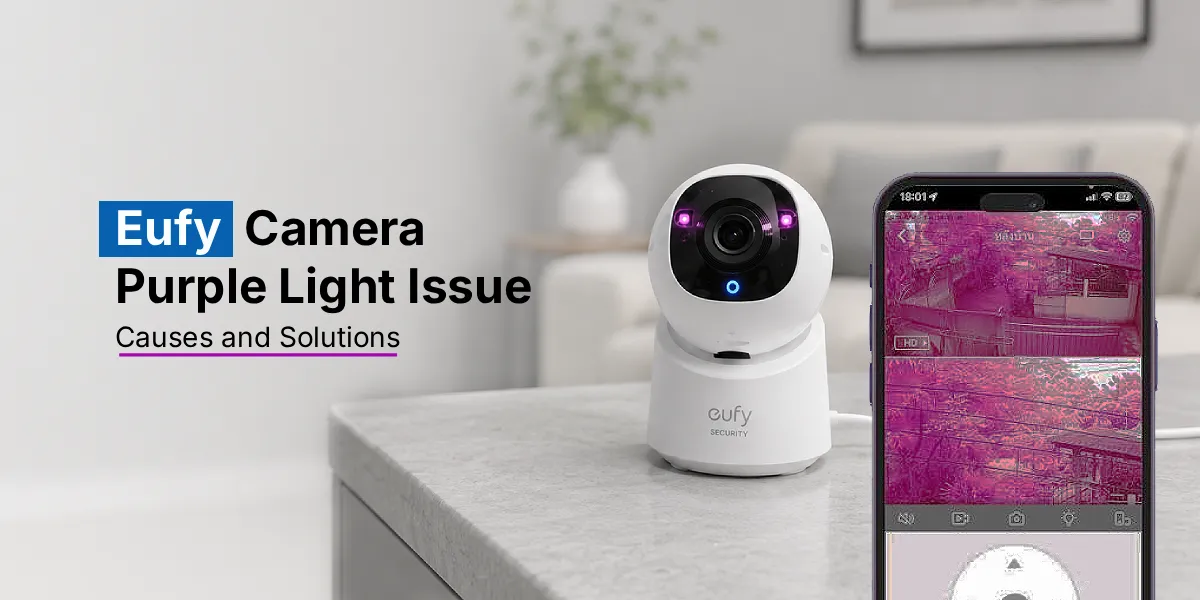
If your Eufy camera shows a purple light, it usually means the device is starting up, syncing with the app, or experiencing a connectivity issue rather than something being broken. In most cases, a purple light on an Eufy camera can be fixed with a simple restart, a firmware update, or a quick reset. This guide breaks down what the purple light actually means, why your Eufy camera might be stuck on purple light, and the exact steps to get it back to normal.
Eufy cameras are known for being reliable, easy to set up, and low-maintenance, but like any smart home device, they can occasionally throw an unexpected signal your way. One of the most common issues users report is the Eufy camera purple light appearing on the device and staying on longer than expected. While it can look alarming at first, especially if you’re not sure what the color indicates, the purple light is generally part of the camera’s normal status indicator system.
In this blog, we’ll walk through what the eufy purple light actually signals, the most common reasons your camera might be stuck in this state, and practical, easy-to-follow solutions to fix it.
What Does the Purple Light Mean on a Eufy Camera?
Eufy cameras use LED indicator lights to communicate status updates without requiring you to constantly check the app. Depending on the model, a purple or blue-purple light typically indicates that the camera is either booting up, attempting to connect to Wi-Fi, or syncing with the Eufy Security app.
In short, the purple light is a transitional status. It’s the camera’s way of saying “I’m working on connecting” rather than signaling an error. Problems arise when this light doesn’t turn into a steady blue or green (indicating a successful connection) and instead stays purple indefinitely.
Why is Your Eufy Camera Stuck on Purple Light?
There are a few common scenarios where an Eufy camera stuck on purple light becomes a persistent issue rather than a temporary phase:
Weak or Unstable Internet Connection
Since the Eufy camera purple light often reflects an ongoing connection attempt, poor Wi-Fi signal strength is one of the leading causes. If your router is too far from the camera or your network is overloaded, the camera may struggle to complete its handshake with the Eufy servers, leaving it stuck.
Outdated Firmware
Older firmware versions sometimes have bugs that interfere with the camera’s ability to properly transition through its startup sequence. This is one of the most frequent reasons users need to update Eufy firmware to resolve the purple light issue.
App or Account Sync Issues
Sometimes the problem isn’t the camera itself but a syncing issue between the device and your Eufy account. If you were recently logged out or if there was a server-side hiccup during Eufy account login, the camera may fail to complete its connection sequence.
Power Interruptions
If the camera loses power mid-setup or during a firmware update, it can get stuck displaying the purple light as it tries to recover its previous state.
Hardware Glitches
Though less common, a temporary internal glitch can also cause the eufy camera solid purple light to persist, especially after a power surge or an incomplete reset.
How to Fix the Eufy Camera Purple Light Issue?
Here are the most effective solutions, starting with the simplest fixes first.
Restart the Camera
Before trying anything else, unplug the camera (or remove the battery, depending on the model) for about 30 seconds, then power it back on. This simple step resolves a surprising number of purple light issues by giving the camera a fresh boot cycle.
Check Your Wi-Fi Signal
Move your router closer to the camera, or use a Wi-Fi extender if the camera is in a far corner of your home. A stronger signal often prevents the eufy purple light from getting stuck during the connection phase.
Update The Eufy Camera Firmware
Open the Eufy Security app, go to your device settings, and check for available firmware updates. If you update Eufy firmware and it’s outdated, this alone can fix many display and connectivity bugs, including the purple light issue.
Perform a Eufy Camera Purple Light Reset
If restarting doesn’t help, a full reset may be necessary:
- Locate the reset button on your camera (usually a small pinhole).
- Press and hold it for about 10 seconds until you hear a sound or see the light change.
- Once reset, set up the camera again through the Eufy app as if it were new.
This Eufy camera purple light reset process clears any corrupted settings that might be causing the camera to get stuck.
Verify Your Eufy Account Status
Log out and log back into your Eufy account through the app. Sometimes an expired session or a temporary server issue during Eufy login can prevent the camera from properly syncing, leaving the purple light active longer than usual.
Perform a Full Eufy Reset
If none of the above works, a complete Eufy camera reset (different from the basic reset above) may be required. This typically involves holding the reset button for a longer duration or using the app’s “Remove Device” and re-add function to force a clean setup.
Contact Eufy Support
If your Eufy camera’s solid purple light persists after trying all these steps, it may indicate a hardware fault. At this point, reaching out to Eufy’s official support team is the best course of action, especially if the camera is still under warranty.
The Final Word
A Eufy camera purple light is rarely a sign of a serious problem. In most cases, it points to a temporary connectivity hiccup, outdated firmware, or a syncing issue that can be resolved with a restart, reset, or firmware update. By following the steps outlined above, you should be able to get your camera back to normal function quickly. If the issue persists despite trying every solution, reaching out to Eufy support is the best next step to rule out a hardware fault.
FAQs
What does the purple light mean on an Eufy camera?
The Eufy camera purple light usually indicates that the camera is booting up or trying to connect to Wi-Fi and your Eufy account. It’s a normal part of the startup process, but it becomes an issue if it doesn’t switch to a steady blue or green light afterward.
Does a purple light mean my Eufy camera is recording?
No, the purple light does not indicate recording. Eufy cameras typically use blue or green lights to show active recording or a successful connection, while purple is reserved for connection or startup status.
Can a firmware update fix the purple light issue?
Yes, in many cases, outdated firmware causes connectivity bugs. Choosing to update the firmware through the Eufy Security app often resolves the purple light issue without needing a full reset.
Will resetting my Eufy camera remove the purple light?
In most cases, yes. A reset clears any corrupted network or configuration settings that may be causing the camera to get stuck, allowing it to reconnect properly during setup.
Why is my Eufy camera stuck on a solid purple light?
This typically happens due to weak Wi-Fi, outdated firmware, interrupted power during setup, or an account sync issue. Restarting or resetting the camera usually resolves it.
Can poor internet cause a purple light on an Eufy camera?
Yes, unstable or weak internet is one of the most common reasons a Eufy camera gets stuck on purple light, since the camera is unable to complete its connection to Wi-Fi and the Eufy servers.