
Why Is My Eufy Camera Blinking Red Light? Causes and Easy Fixes
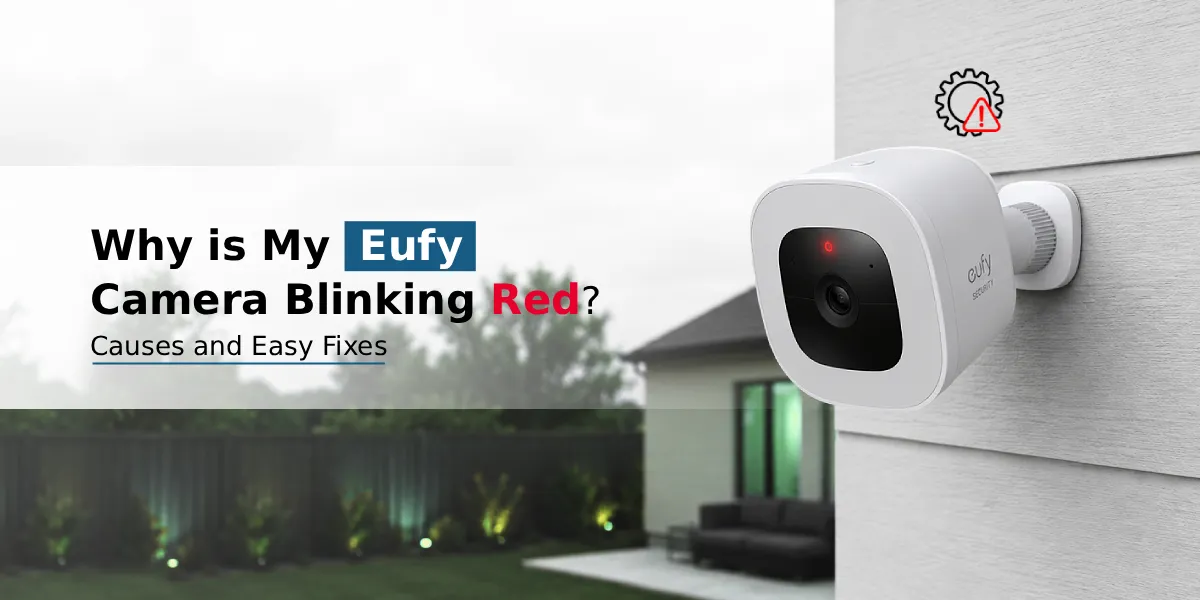
A blinking red light on your Eufy camera usually signals a connectivity, power, or setup issue- not a malfunction in most cases. Common causes for the same can include Wi-Fi disruption, low battery, ongoing setup/pairing, or the camera going offline. This issue can be fixed by checking your Wi-Fi signal, power source or performing a quick reset process through the Eufy Security app.
If you’ve noticed your Eufy camera blinking red and wondered what’s going on, you’re not alone. This is one of the most common concerns among Eufy users, and thankfully, it’s rarely a sign of a serious hardware problem. The red light on Eufy camera devices is essentially a status indicator—it’s the camera’s way of communicating something about its connection, power, or mode. In this guide, we’ll break down exactly what the Eufy camera red light meaning is, why it happens, and how you can fix it quickly, without needing a technician.
What Does Red Light on the Eufy Camera Mean?
The red light on your Eufy camera is a status LED, not an alarm. Depending on the pattern- solid, slow blink, or fast blink- it can indicate different things:
- Solid red: The camera is powered on but not connected to Wi-Fi or the HomeBase.
- Slow blinking red: The camera is trying to reconnect to your network.
- Fast blinking red: There may be a setup error or the camera has gone offline.
- Eufy camera blinking red and blue: This almost always means the device is in pairing or setup mode, waiting to connect to the Eufy Security app.
Understanding this pattern is the first step to diagnosing the issue correctly.
Common Causes of Eufy Camera Flashing Red
There are several everyday reasons your Eufy camera flashing red light appears. Here are the most frequent culprits:
- Weak or Disrupted Wi-Fi Signal
Your camera relies on a stable Wi-Fi connection to communicate with the HomeBase or app. If the signal is weak, inconsistent, or the router is too far away, the camera may blink red as it repeatedly attempts to reconnect.
- Power Interruption
A sudden power outage or loose power cable can cause the camera to lose its connection, triggering a red light until power and network are restored.
- Low Battery (For Battery-Powered Models)
If your Eufy camera runs on battery power, a low charge can cause irregular blinking, including red flashes, as the device struggles to maintain a stable connection.
- Camera is in Setup or Pairing Mode
During initial Eufy camera setup, it’s completely normal to see the red light blinking, especially alongside blue, as the camera searches for and pairs with the HomeBase or app.
- Firmware Update in Progress
Sometimes, a red blink simply means the camera is updating its firmware. This usually resolves on its own within a few minutes.
- Eufy Camera is Offline
If the Eufy camera offline status is triggered due to Wi-Fi loss, HomeBase disconnection, or app sync issues, the red light acts as a visual alert that the device isn’t actively connected.
Eufy HomeBase Red Light: What It Means?
It’s not just the camera- the Eufy HomeBase red light can also appear when there’s a mismatch between the base station and your router, an internet outage, or a failed sync with connected cameras. If both your camera and HomeBase are showing red lights simultaneously, start by checking your router and internet connection first, since the HomeBase depends on a stable network to relay data.
How to Turn Off Red Light on Eufy Camera?
If the red light isn’t indicating an active problem but you simply want to disable it for aesthetic or privacy reasons, here’s how:
- Open the Eufy Security app on your smartphone where it is installed. If not, you can always download the same from Play Store or App Store.
- Open the app and then from the menu, select your camera from the device list.
- Tap the Settings (gear icon) you see on the screen.
- Now, look for the Status Light or LED Indicator settings on the screen.
- Toggle it off and then exit the app.
Keep in mind that turning off the indicator light only affects the visual signal- it won’t fix any underlying connectivity issue if one exists.
Easy Fixes for Eufy Camera Blinking Red
Here are practical, step-by-step solutions to resolve the issue:
- Check Your Wi-Fi Connection
Ensure your router is working properly and your camera is within range. Restarting your router can often resolve temporary disruptions.
- Confirm Power Supply
For wired cameras, check that the power adapter and cable are securely connected. For battery-powered models, charge the battery fully before troubleshooting further.
- Restart the Camera and HomeBase
Power cycling both devices can clear temporary glitches causing the red light.
- Reset your Eufy camera
If the issue persists, performing the reset Eufy camera process can help. Press and hold the reset button (usually on the bottom or back of the device) for about 10 seconds until you hear a tone, then re-add the device through the app.
- Reconnect Through the App
Open the Eufy Security app, remove the camera if needed, and go through the Eufy setup process again to re-establish a clean connection.
- Update the Firmware Version
Check the app for available firmware updates, as outdated software can sometimes cause connectivity indicators to misbehave.
The Final Word
An Eufy camera blinking red is usually just a status signal pointing to a connectivity, power, or setup issue—and in most cases, it’s an easy fix. By checking your Wi-Fi, confirming power, and resetting the device when necessary, you can quickly restore normal function and get back to monitoring your space with confidence.
Frequently Asked Questions
Does a blinking red light mean my Eufy camera is recording?
No. A blinking red light is a status indicator related to connectivity, power, or setup- it does not indicate active recording. Recording status is typically shown through a separate indicator or within the app itself.
Can low battery cause the Eufy camera to blink red?
Yes. On battery-powered Eufy models, a low charge can cause irregular or red blinking as the device attempts to maintain its connection with reduced power. Charging the battery fully often resolves this.
How do I reconnect my Eufy camera to Wi-Fi?
Open the Eufy Security app, select your camera, go to settings, and choose the option to reconnect or reset the Wi-Fi connection. You may need to re-enter your network password and hold the device close to the router during setup.
Why is my Eufy camera blinking red after a power outage?
After a power outage, the camera may lose its connection to the HomeBase or Wi-Fi network. The red light typically clears once power is stable and the device automatically reconnects, though a manual restart can speed up the process.
Can weak Wi-Fi cause the Eufy camera to blink red?
Yes. A weak or unstable Wi-Fi signal is one of the most common reasons for a blinking red light, as the camera repeatedly tries and fails to maintain a steady connection. Moving the router closer or reducing network congestion can help.